
Web Copyrighter1.15 - Download
You'll be able to download in few seconds.
Publisher Description
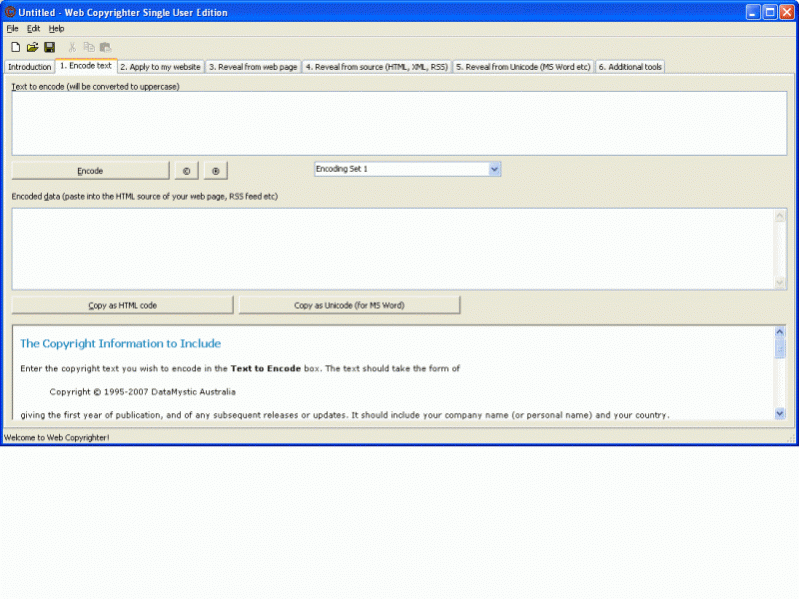
Digital watermarking for IMAGES has been around
for some time, but until now, no solution had been available for TEXT.
Web Copyrighter embeds hidden information into any web page,
Blog, RSS feed, XML file or Unicode text. The hidden text can only be
revealed using the software, and is invaluable in proving the rightful
owner of any published work, including magazines, newspapers, company
reports, case studies and more.
Every minute of every day, web site authors, journalists and
publishing houses risk losing attribution and compensation for their
online work, as automated bots scan the web for popular content and copy
it to new sites. The reason? Google AdWords revenue.
"Online Copyright theft is on the rise" says ,
CEO of DataMystic. "Popular sites like MarketingSherpa.com have
to battle constantly to protect the intellectual property their
sites are based on. With Web Copyrighter, a site can quickly
prove their ownership of copyrighted material and take action
against the offender."
Get the legal tools you need to pursue and stamp out illegal use of
your content!
This ugly trend is only getting worse. Are you prepared?
Easily Prove What is Yours!!
If you ever have to go to court, make sure Web Copyrighter is in your
arsenal!
Use it for....
- Stamping out illegal re-publishers of your site's content
- Protect Blogs
- Protect web sites and HTML files
- Protect RSS feeds
- Protect the content of Newspaper and Magazine sites from illegal reproduction
- and much more.
About Web Copyrighter
This HTML Tools program is available in English. It was last updated on 29 September, 2026. Web Copyrighter is compatible with the following operating systems: Windows.
The company that develops Web Copyrighter is DataMystic. The latest version released by its developer is 1.15.
The download we have available for Web Copyrighter has a file size of N/A. Just click the green Download button above to start the downloading process. The program is listed on our website since 2012-05-07 and was downloaded 0 times. We have already checked if the download link is safe, however for your own protection we recommend that you scan the downloaded software with your antivirus. Your antivirus may detect the Web Copyrighter as malware if the download link is broken.
How to install Web Copyrighter on your Windows device:
- Click on the Download button on our website. This will start the download from the website of the developer.
- Once the Web Copyrighter is downloaded click on it to start the setup process (assuming you are on a desktop computer).
- When the installation is finished you should be able to see and run the program.
Program Details
System requirements
Download information
Pricing
Version History
version 1.15
posted on 2012-05-07
Now works in MS-Word documents!
Disclaimer
External Download
We do not host Web Copyrighter on our servers. We did not scan it for viruses, adware, spyware or other type of malware. This app is hosted by the software publisher and passed their terms and conditions to be listed there. We recommend caution when installing it.
The external download link for Web Copyrighter is provided to you by apps112.com without any warranties, representations or guarantees of any kind, so access it at your own risk.
If you have questions regarding this particular app contact the publisher directly. For questions about the functionalities of apps112.com contact us.
